The requirements that matter to the business
A short account of each workflow, with its mockups alongside. The full PRD stays one click away.
THE WORKFLOW. THE SCREENS. THE DECISIONS.
The stakeholder-review-package AI skill turns your PRD, assumptions and mockups into one HTML file for business stakeholders. Email it to them; they review it and return their feedback.
Fictional example: community class bookings. Try the controls; nothing is submitted.
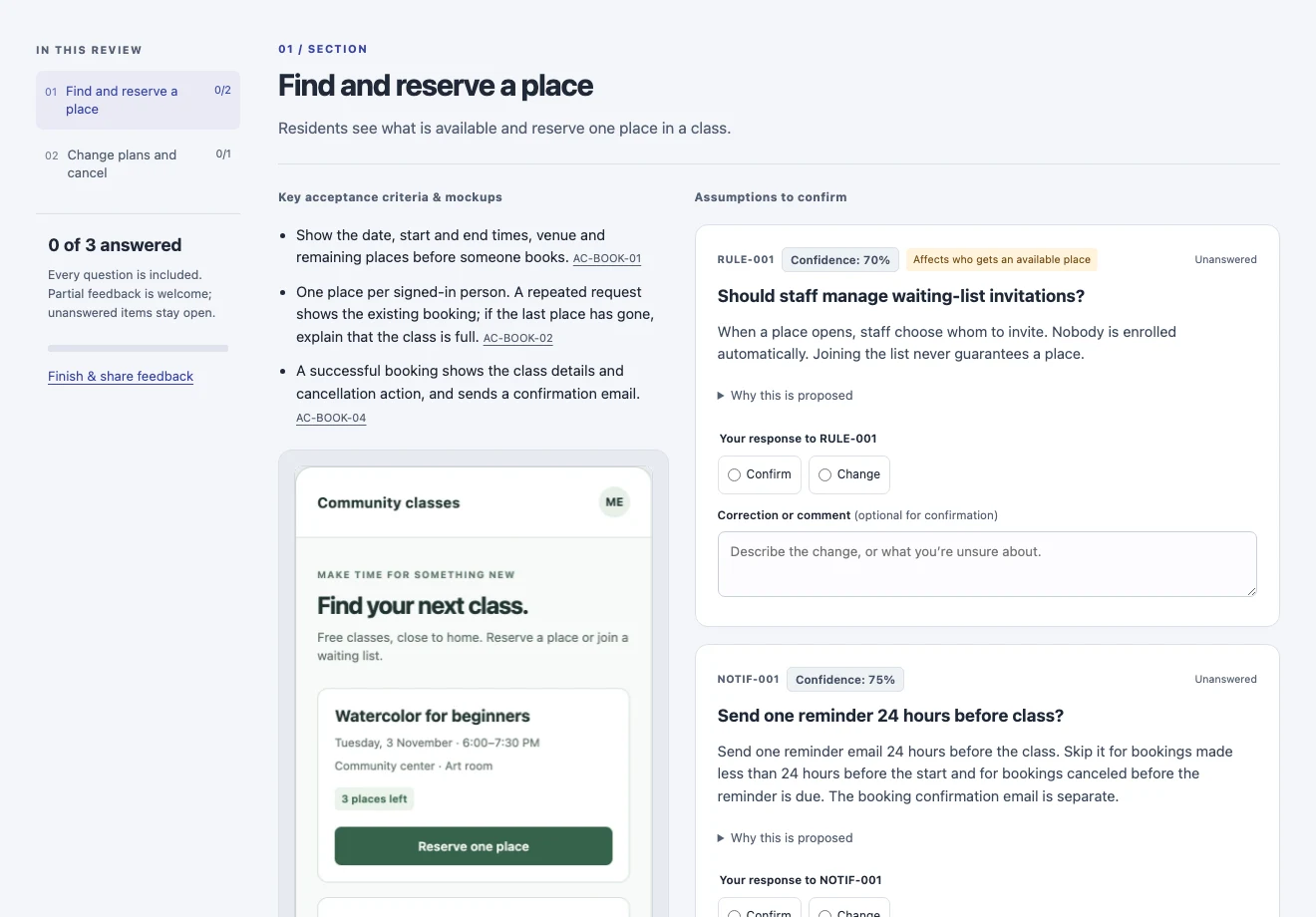
stakeholder-review-packageReal working example · entirely fictional contentA short account of each workflow, with its mockups alongside. The full PRD stays one click away.
Each proposal shows its confidence and has a Confirm or Change response. Partial feedback is welcome; unanswered decisions stay open.
Comment on an assumption, a requirement or a screen, right where you’re reading it.
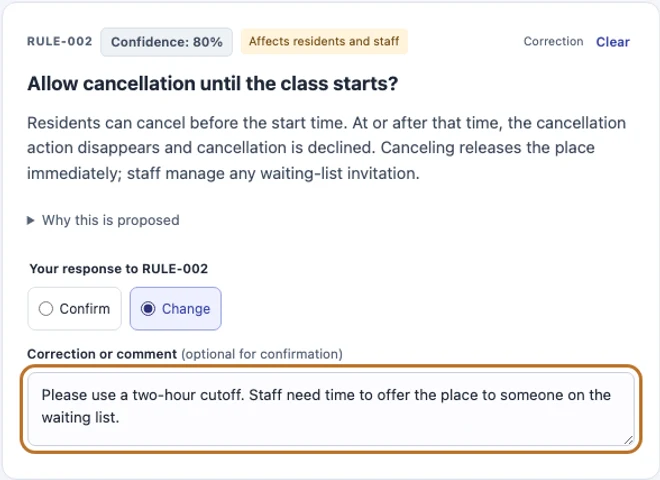
A USEFUL ANSWER, IN PLAIN LANGUAGE
Reviewers don’t need to rewrite the specification. They mark a proposal and explain what should be different, including anything they’re unsure about.
When they’re ready, Download reply (.txt) gives them a file to send back, or Copy reply to clipboard lets them paste the same feedback into an email or message. Save editable copy (.html) keeps their answers for later.
Answers stay on their device. Nothing is sent automatically.
FROM REVIEW TO REQUIREMENTS
The package is a dated snapshot with links to its sources. The returned text includes decision IDs, the proposals reviewed and the reviewer’s comments.
Use assumptions-document-feedback to apply the answers, including changes to requirements and mockups. Corrections amend the PRD; once the build has started, new requests go to a follow-on PRD. Implementation still uses the complete PRD and technical design.
PART OF THE ENSO METHOD
Your agent prepares this after design refinement. Run stakeholder-review-package any time to create or refresh one.
Explore the example’s sources: Full PRD · Assumptions · Mockups